Your Complete Guide to Photo Booth Hire
Planning a party and thinking about adding a photo booth?
This guide walks you through everything you need to know - from choosing the right booth style to understanding space requirements, backdrop options, lighting, props, and how to get the best photos on the night.
Whether you’re hosting a birthday, wedding, school formal or corporate event, this page gives you practical, real‑world advice so you can book with confidence and avoid common setup mistakes
Our photo booth hire is available across Redlands, Brisbane, Logan and the Gold Coast, making it easy to bring a premium photo experience to your event.
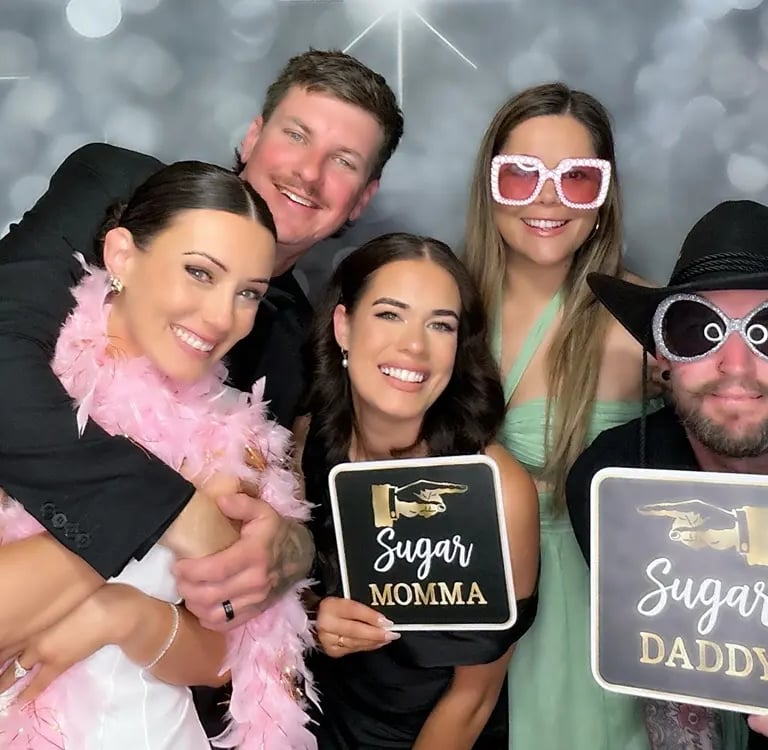
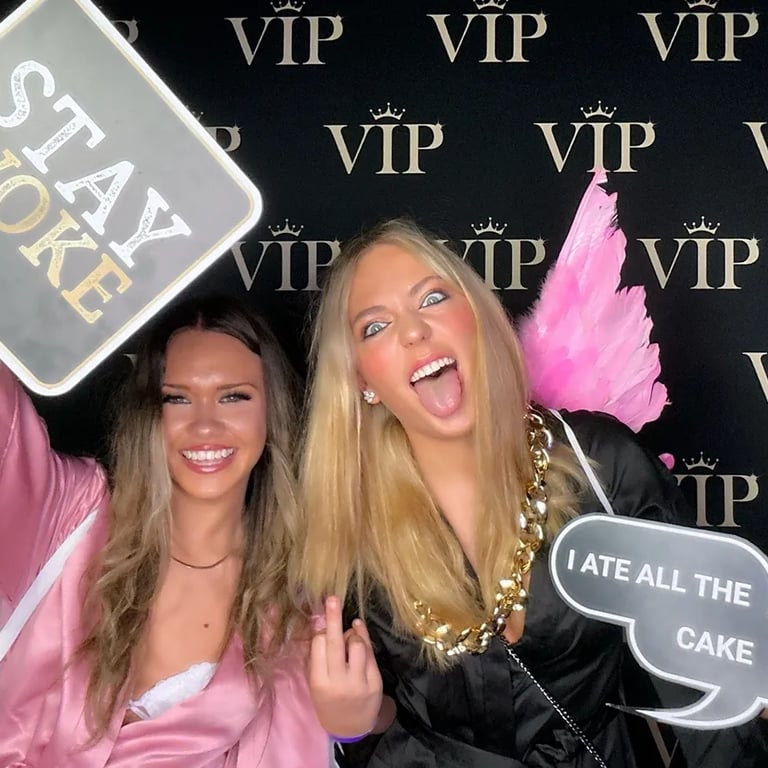
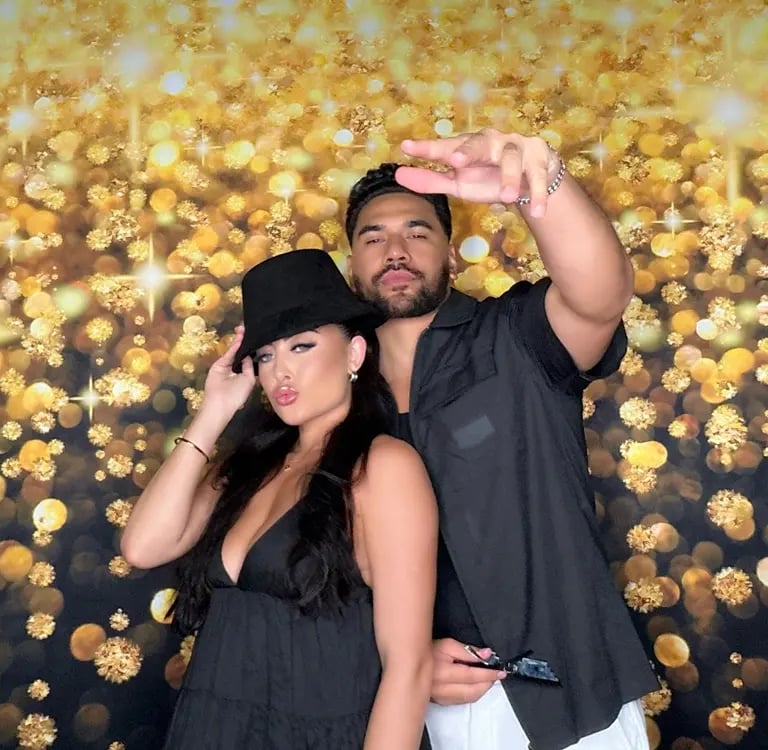
Specs & Features
Choosing the right photo booth hire option comes down to your event style, space and the experience you want your guests to have. This section gives you a clear breakdown of each booth’s specs and features so you can compare both styles and choose the perfect fit for your celebration.
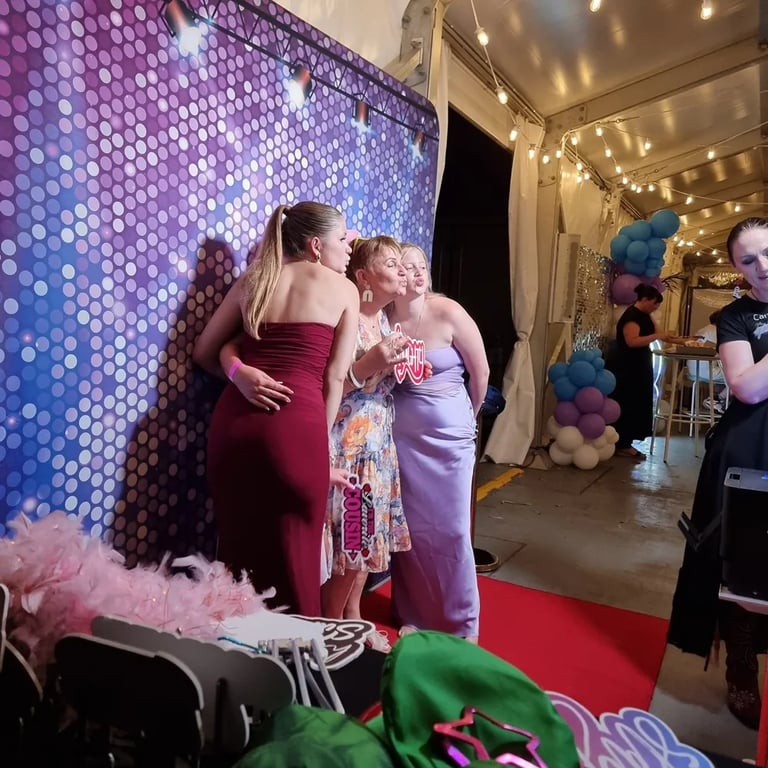
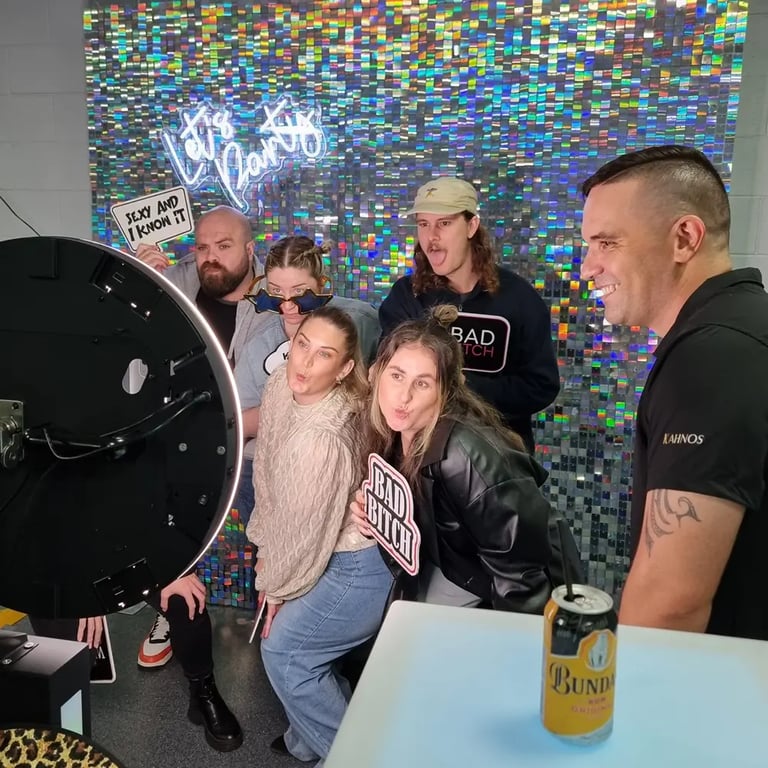
Digital Photo Booth
(Self‑Service Long Hire)
Perfect for smaller spaces, relaxed events and all‑day celebrations.
12MP wide‑angle camera with ring light
Instant digital sharing via SMS and AirDrop (via onboard SIM)
1 of 32 backdrops
Choice of props
No attendant required
Fits comfortably in 2 m × 2 m spaces
Ideal for long hires and tight venues
Unlimited booth sessions
30-day access to gallery
Up to 10 hours of hire
Setup from 11am
Packdown by 10pm
Delivery included within 20 km of Redland Bay HQ
Optional Add‑Ons
Up to 5 templates on your booth
AI portraits
Choose the Digital Photo Booth when:
Space is limited
You want a simple, modern setup
You need a long‑hire option
You prefer a self‑service experience
The Digital Booth also offers a range of optional upgrades, allowing you to customise the booth to suit your event style and the type of content you want to capture.
Pair With the Print Booth for Video Messages
The Digital Booth can also be hired in video message mode, making it the perfect companion to the Print Photo Booth. This pairing gives you the best of both worlds:
Printed photo strips + fun props for your guests
Heartfelt video messages recorded quietly throughout the night for you
It’s an ideal combination for weddings, milestone birthdays and events where you want both keepsakes and personal memories.
For a full comparison of both booth styles, explore our Digital vs Printing Photo Booth Guide.
When the Digital Booth Is the Better Choice
Printing Photo Booth
(Attended Event Hire)
A premium, fully managed experience ideal for weddings, formals and milestone events.
Three photos per session
GIF automatically created
Instant printed 2×6 photo strips — 2 per session
Unlimited booth sessions
Digital sharing via QR code (Wi‑Fi dependent)
Professional attendant included
Fits comfortably in 3 m × 3 m spaces
2, 3, 4 or 5‑hour attended hire
Delivery included within 50 km of Redland Bay HQ
30‑day digital gallery access included
1 of 32 photo quality backdrops
Props included, with a curated props table set up and maintained by your attendant
Guests can choose from a selection of props from our offering to suit your event theme
Your attendant manages the full experience — assisting guests, keeping the props table tidy, maintaining the booth area and ensuring every photo looks polished throughout the event.
Optional Upgrades
4×6 prints — 2 per session, unlimited sessions
Multiple photo template designs (guests can choose their favourite at printing)
AI Portraits
Pair With the Digital Booth for Video Messages
For an elevated experience, many customers pair the Print Booth with our Digital Booth in video message mode. This gives your guests:
Printed photo strips + fun props
AND
A dedicated space to record heartfelt video messages, well‑wishes or advice for the future
You can also choose from multiple photo templates, giving your guests a unique keepsake and creating a beautiful collection of memories for the host.
When the Print Booth Is the Better Choice
Choose the Print Photo Booth when:
You want printed photo strips for guests to take home
You prefer a fully managed, attended experience
Your event has a formal or milestone feel
You want a polished setup maintained throughout the night
You’re expecting larger groups or a steady flow of guests
You want props included and styled for you
The Print Booth also includes:
A curated props table
30‑day digital gallery access
Professional booth management for consistent lighting, tidy styling and smooth guest flow
This option is ideal for weddings, school formals, milestone birthdays and corporate events where you want a premium, seamless experience from start to finish.
AI Portraits Experience (Upgrade Option)
The AI Portraits Experience adds a modern, creative upgrade to your event. Each AI session includes one AI‑generated portrait, created from a single photo taken at the booth.
Guests choose one of the preset AI styles you’ve selected for your event - for example:
Superhero - realism
Caricature
Player / Collector Card - realism
Magazine Cover - realism
We pre‑program the prompts for each style, so guests simply select their favourite option, take one photo, and the booth automatically generates their AI portrait. AI portraits take approximately one minute to process.
Print Booth AI Portraits
Guests choose one session type at a time:
AI Portrait Session: 1 photo → printed as a 4×6 AI portrait
Standard Session: 3 photos → printed as the standard event template
Digital Booth AI Portraits
Guests choose one session type at a time:
AI Portrait Session: 1 photo → delivered as a digital 4×6 AI portrait
Standard Session: 3 photos → delivered as the standard digital template


Template Size Upgrade: 2x6 Strips or 4x6 Prints
Your Print Booth includes classic 2×6 photo strips, but you can upgrade to 4×6 photo prints for a larger, more premium keepsake. The 4×6 format is ideal for detailed designs, event branding and modern layouts.
The 4×6 size is automatically included when you choose the AI Portraits Experience, as this format provides the best clarity for AI artwork.

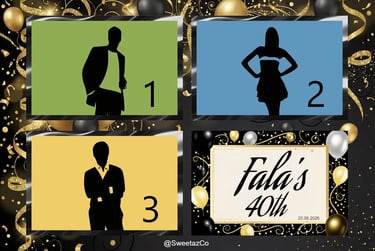

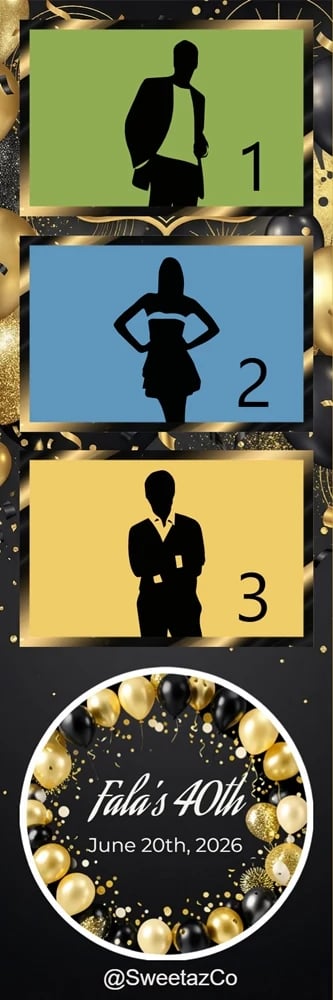
2x6 Print Strip
Included
2 Prints per session
Personalised text and colours
4x6 Photo Print
Upgrade option
2 Prints per session
Personalised text and colours
Included with AI Portraits
Multiple Template Designs (Upgrade Option)
The Multiple Templates Upgrade lets you offer guests up to five different template designs. Each design can have its own colours, layout and theme, while keeping the same event messaging.
Guests choose their preferred template at the start of each session - and they can return multiple times to collect different designs. This creates a fun, personalised keepsake experience.
Perfect for themed or multicultural events. For example, a rugby event may offer Aboriginal, Māori, Samoan, Australian and Multicultural templates for guests to choose from.
Colour Options
Your photo booth setup can be styled to complement your event aesthetic. Each booth has its own colour finish and LED lighting accents that can be customised to suit your theme.
Print Photo Booth (Attended)
Booth colour: White
Props table: Black
Light stand: Black
LED lighting: Colour‑changing LED strip around the mirror face (RGB static or flowing modes)
Digital Photo Booth (Self‑Service)
Booth colour: Black
Props table: Black
Light stand: Silver
LED lighting: LED strips on the base (RGB static or colour‑changing modes)
Both booth styles can be set to match your event colours - from soft warm tones to bold RGB hues - creating a cohesive, intentional look that pairs beautifully with our backdrops and styling pieces.
Styling & Perfect Pairings
Your backdrop, props and styling choices make a significant difference to the final look of your photos. This section helps you choose a cohesive, intentional setup.
Choosing the Right Backdrop
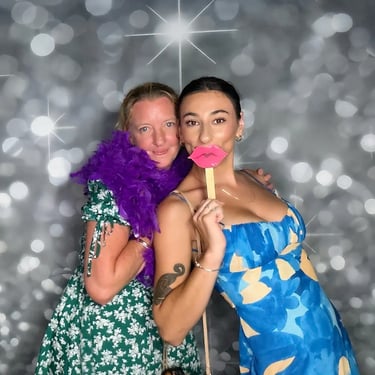
Your backdrop sets the tone for your photos and helps tie your event styling together. With 32 pillowcase backdrops to choose from, there’s a design for every theme and colour palette.
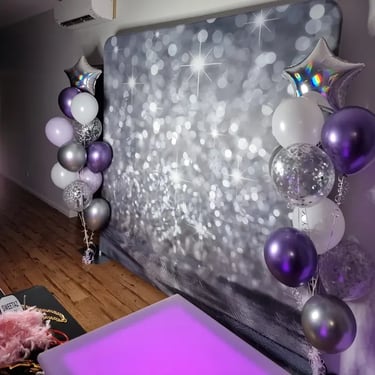
Sequins & sparkles — perfect for glam, party and celebration themes
Floral designs — ideal for weddings, engagements and soft, romantic styling
Wood, curtain & neutral textures — great for rustic, modern or minimal looks
Geometric & patterned styles — suited to bold, editorial or contemporary events
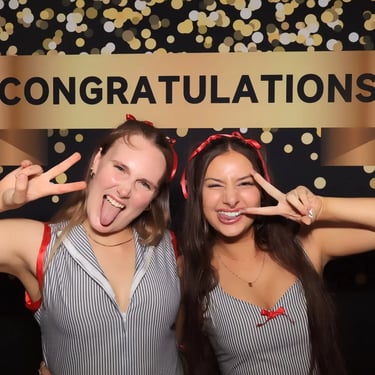
Lettering & themed designs — including Congratulations, Halloween, Christmas and more
Country & seasonal options — perfect for themed parties and styled events
A well‑chosen backdrop helps your photos feel cohesive, intentional and beautifully matched to your event aesthetic.


Backdrop Options
Preview a few of our popular designs below.
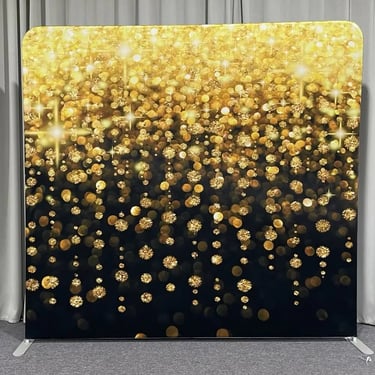
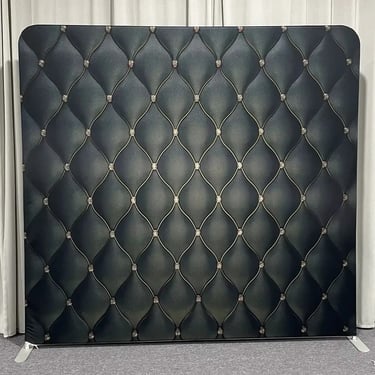
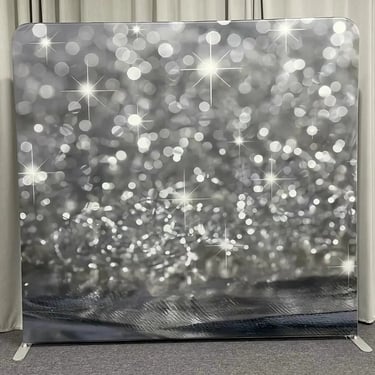
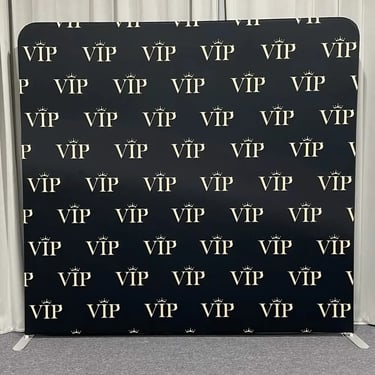
To view all 32 backdrops, visit the Photo Backdrop Hire Info Page.
Styling Tips for a Polished Look
We position the booth and backdrop at the correct distance for flattering, in‑focus photos
Glow furniture can be placed nearby to hold drinks and create a clean, modern entry point for guests
Marquee numbers or feature pieces can be positioned behind or beside the booth to elevate milestone events
The booth zone is kept tidy so your photos look clean and professional throughout the event
Lighting is positioned so it isn’t blocked by décor, signage or large props
For styled examples and real event inspiration, explore our Event Hire Gallery.
Prop Designs & Wording Options
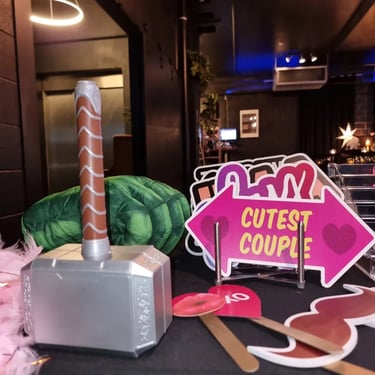
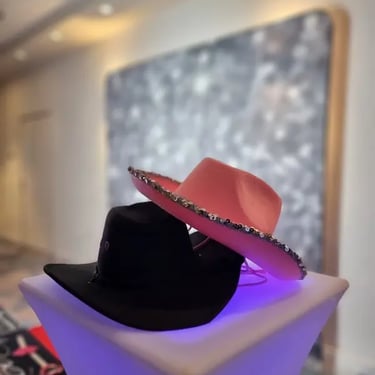
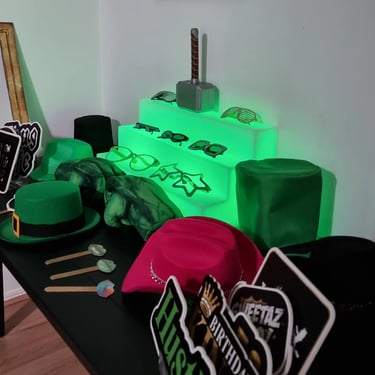
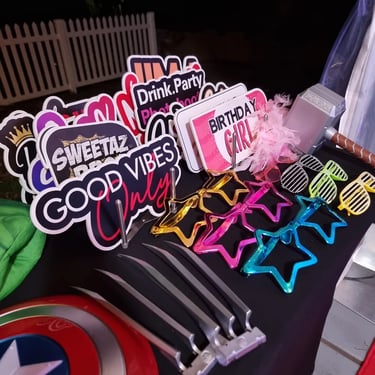
Props add personality and movement to your photos. We offer a curated selection of high‑quality props with clean, modern wording that photographs beautifully. When booking, you can choose a mix of props from our available sets to suit your event theme or we can choose them for you.
Wedding & Engagement
Just Married
Team Groom / King
Happy Wife / Sugar Daddy
Birthdays
Birthday Boy / Came for the Cake
Old is Gold / 50 and Fabulous
Birthday Queen
Hip Hop (Black & Gold)
Limited Edition
Thug Life
Hip Hop Raise Me / They see me Rollin'
Girl Power
Bad Bitch
Smokin Hot / Kiss Me
You Go Girl / You Are Beautiful
Work & Corporate
The Real Boss
Love OT / My Team
Need a Raise / Break Time
Kiwi
Yeah Nah Bro
Sweetaz Bro
Kiwi Az Bro
Christmas & New Years
Keeper of the Naughty List
Happy New Years
Unwrap Me / Santa Baby
Randoms
Screen Shot This
I'm a Vibe
Cutest Couple
Stick Props
Giant Moustache / Beard Combo
Small Lips
Giant Lips
Hats & Glasses
Cowboy Hat
Oversized Glasses
Mario & Luigi Hats
Superhero
Hulk Hands
Wolverine Claws
Thor Hammer
Want to explore a list of every prop we offer? Download our full Props Library for the complete collection.
Choosing the right spot for your photo booth is one of the biggest factors in getting great photos and keeping your event flowing smoothly. This guide helps you understand exactly how much space you need, where to position the booth and how to avoid common setup issues.
Space, Setup & Safety
How Much Space You Need
Digital Photo Booth
Minimum 2 m × 2 m
Sits closer to the backdrop, making it ideal for tight spaces, home events and smaller venues
Print Photo Booth
Minimum 3 m × 3 m
Sits further back from the backdrop to allow for wider photos, group shots and a more premium setup
Why spacing matters:
The Print Booth requires more distance to capture longer body shots
The Digital Booth is more compact and flexible in smaller rooms
Proper spacing ensures flattering lighting, sharp focus and smooth guest flow
General spacing tips:
Choose a spot with easy access
Avoid harsh backlighting (windows, open doors, bright spotlights)
Ensure a power outlet is nearby
Leave room for guests to gather without blocking walkways
Where to Position the Booth
Correct booth placement makes a huge difference to photo quality, lighting and guest flow. When we arrive, we assess your space and position the booth in the most flattering and practical spot for your event.
For the best results, we look for:
A solid wall behind the backdrop Creates clean, consistent photos and prevents movement or shadows.
A location away from windows, mirrors and reflective surfaces Reflections can interfere with lighting and reduce image quality.
A spot free from direct sunlight Sunlight creates harsh shadows and uneven exposure.
Consistent, even lighting Avoids colour casts from venue lighting and keeps skin tones natural.
A place where guests naturally gather Ensures the booth becomes part of the event flow, not hidden away.
Avoid placing the booth near:
Windows directly behind the booth Causes strong backlighting and silhouettes.
DJ lights, coloured uplights or moving beams These can wash out photos or create unwanted colour streaks.
High‑traffic doorways or service areas Interrupts guest flow and can block access.
Dark corners without lighting Makes it harder to achieve clean, flattering images.
Good guest flow keeps the booth busy, the photos consistent and the event running smoothly. When we set up, we look for a layout that feels natural and encourages guests to move through the booth without crowding.
For the best results, aim for:
A clear entry and exit path Helps guests move through quickly and prevents queues from backing into other areas.
Space for small groups to queue comfortably Ensures the booth stays active without blocking walkways or seating areas.
Props positioned to the side, not in front of the booth Keeps the booth area tidy and prevents props from appearing in the wrong place in photos.
Visibility from the main event area Guests are more likely to use the booth when they can see it — it becomes part of the celebration rather than hidden away.
How we help on the day
When we arrive, we assess your space and position the booth to:
encourage natural guest movement
avoid congestion around food, bars or dance floors
keep the booth accessible without interrupting the event
ensure the backdrop and lighting remain clean and unobstructed
This ensures your guests enjoy a smooth, fun experience and your photos look consistent throughout the event.
Guest Flow & Avoiding Bottlenecks
Both booth styles require a safe, stable power source to operate correctly. To ensure smooth setup and consistent performance throughout your event, please check the following:
Power requirements for both booths
One standard household power outlet (240V)
A dedicated outlet where possible - avoid sharing circuits with high‑draw appliances such as slushie machines, catering equipment, heaters or DJ gear
Heavy‑duty, fully uncoiled extension leads if additional length is needed
Indoor or fully weather‑protected outdoor placement to keep power connections safe and dry
Why this matters
Shared circuits can cause power drops, flickering or booth restarts
High‑draw appliances can trip circuits, especially in older venues or homes
Coiled extension leads can overheat and become unsafe
Stable power ensures consistent lighting, sharp images and uninterrupted booth use
Outdoor Events - Important Requirements
If your booth is placed outdoors, the setup must meet all of the following conditions:
Under solid, permanent cover (e.g., patio, veranda, pavilion, enclosed marquee with solid roof) Umbrellas, pop‑up gazebos and open marquees are not suitable.
Completely protected from sun, wind and rain The booth, backdrop and lighting equipment cannot be exposed to weather at any time.
On a flat, stable surface Ensures safe setup and prevents equipment movement.
With weather‑protected power access Power outlets and extension leads must remain dry and shielded from the elements.
These requirements protect the equipment, ensure guest safety and maintain photo quality. If you’re unsure whether your outdoor area is suitable, we’re happy to guide you before your event.
We’ll always assess your space on arrival and ensure the booth is set up safely and correctly. For delivery details, see our Service Area Page.
Power Requirements
Hints & Tips
A few simple choices can make a big difference to the quality of your photos and the overall guest experience.
Choose a backdrop that complements your event colours This helps your photos feel cohesive and intentional, especially for weddings and milestone events.
Keep props simple and easy to hold Clean, bold wording photographs best and keeps the focus on your guests.
Avoid placing the booth near bright windows or coloured lighting Natural backlighting or strong coloured up lights can affect exposure and skin tones.
Encourage guests to take multiple sessions throughout the night This creates a fun, interactive experience and gives you a wider variety of photos.
For Digital Booth hires, keep the area tidy as the event progresses Because the booth is self‑service, a clear booth zone helps maintain consistent, polished photos.
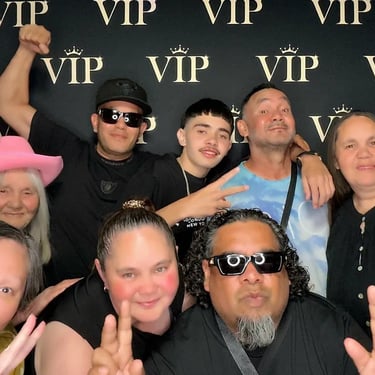
”Hey I just want to say a very big thanks to you both for making that happen we all enjoyed it, it was so beautiful I absolutely loved your setup.”
Roslyn - Print Photo Booth
18th Birthday- Toowoomba
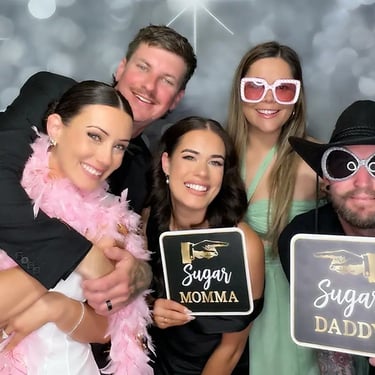
”Thank you!! If we have any events or anything coming up I'll be sure to message! Thank you both for being part of our day and making it super fun and special."
Naomi - Print Photo Booth
Wedding Reception - Gold Coast
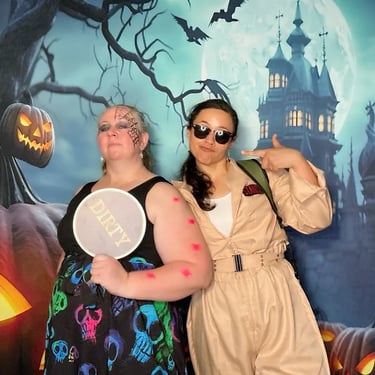
”perfect atmosphere at every event, love love love the backdrops for the photo booth. Photos were awesome and sent via sms, so cool”
Jodi - Photo Booth
Halloween Party - Redland Bay
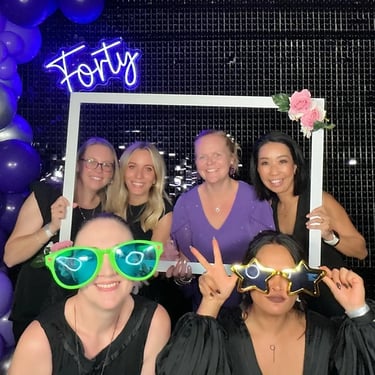
” Absolutely loved everything! Carly & Kahn went above and beyond to ensure everything went smoothly. The Photo Booth was set up well ahead of time and it was a huge hit at my party. And my balloons - wow!! I can’t thank you guys enough!”
Lisa - Digital Photo Booth
40th Birthday - Loganholme
Photo Booth Reviews from Real Customers
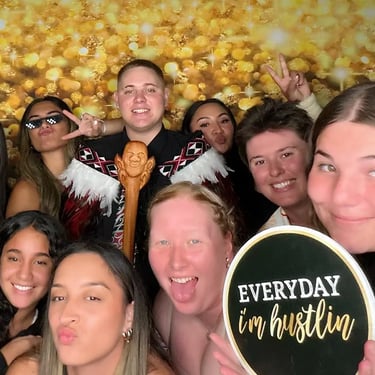
”I would highly recommend Carly & Kahn they are so professional and the communication for your event is next level the photos are so easy to access and we had to basically pull people out of the booth after the party so these great people could pack up. I will be hiring them again for our next function”
Jucinta - Digital Photo Booth
Engagement Party - Manly
”Photo Booth was absolutely amazing and so easy to use. My family and friends absolutely loved it 100% recommend for your next event”
Melissa - Digital Photo Booth
40th Birthday - Loganholme
”Very easy to organise and attention to detail was amazing. Thank you very much and would do this again.”
Edwards - Print Photo Booth
Graduation Party - Ormiston
”No issues with anything, and the communicated with me way better than I did them! Turned up on time and all went perfectly.”
Tracy - Digital Photo Booth
18th Birthday - Redland Bay
Our photo booth hire is priced by package, so you know upfront what you're getting. Every package includes your choice of 1 of 32 backdrops, props and a props table, unlimited booth sessions, a 30-day online gallery, setup and pack-down, and delivery within our standard radius.
Photo Booth Hire Pricing
Print Photo Booth (Attended, 2–5 Hour Hire)
Standard Print Booth: from $499
Print Booth + AI Portraits: from $674 (includes 4×6 prints)
Double Booth: Print + Video Messages: from $799
Digital Photo Booth (Self-Service, Up to 10 Hour Hire)
Standard Digital Booth: from $599
Digital Booth + AI Portraits: from $774
Add-Ons
Multiple template designs (up to 5): $100 (Print or Digital Booth)
4×6 print upgrade: $75 (Print Booth; included with AI Portraits)
What Affects Your Final Price?
Your total depends on your hire length, any add-ons, and your event location. Delivery is included within 50 km of Redland Bay for the Print Booth and 20 km for the Digital Booth, and we can quote for events further away.
Prices shown are starting prices. Visit the Party Hire Shop for current packages, or see Booking Guidance below for what to have ready when you book.
Booking Guidance
To make booking simple, it helps to have a few details ready before choosing your photo booth. These details ensure your setup runs smoothly and your photos look their best.
You’ll need:
Your event date, venue and hire times
Your chosen booth style (Digital or Print)
Your backdrop selection
Your preferred prop themes
Access information for setup (parking, loading zones, stairs or lifts)
Indoor or outdoor placement (outdoor setups must be fully weather‑protected)
Any styling additions (marquee numbers, glow furniture, etc.)
Once you have these details, you’ll be able to select the right booth and hire options with confidence. You can explore all booth options in the Party Hire Shop.
FAQs | Photo Booth
Do you set everything up for me?
Yes. For Print Booth hires, your attendant manages the full setup, styling and operation. For Digital Booth hires, we deliver, position and test the booth before leaving you with a simple, self‑service setup.
How long does setup and pack-down take?
Setup usually takes 40-60 minutes depending on access and layout. Pack‑down takes around 30 minutes. We always arrive with enough time to ensure everything is ready before your hire period begins.
Can the booth operate without Wi-fi?
Yes. The Digital Booth includes an onboard SIM for instant sharing. The Print Booth can print without Wi‑Fi, and digital sharing works when a stable venue connection is available.
What happens if my venue has limited access or stairs?
We can accommodate most access situations. Just let us know during booking so we can plan the safest and most efficient setup route.
Can I change my backdrop or props after booking?
Yes. You can update your backdrop or prop theme anytime up to 7 days before your event, subject to availability.
Do you stay for the entire event?
For Print Booth hires, yes — your attendant stays for the full hire period. Digital Booth hires are self‑service, so we return at the end of your event for pack‑down.
What if my event runs behind schedule?
We can usually extend your hire time if needed. Extensions are subject to availability and can be arranged on the night with your attendant or in advance.
Can I use my own props or signage?
Yes. You’re welcome to add your own props, signage or small décor pieces, as long as they don’t block lighting or interfere with the booth setup.
Do you provide guest books?
Guest books aren’t included by default, but you’re welcome to supply your own. We can place a table nearby for guests to add their photo strips and messages.
What happens if the booth needs troubleshooting during my event?
For Print Booth hires, your attendant manages everything on the spot. For Digital Booth hires, we provide simple instructions and remote support if needed.
Can the booth be moved during the event?
Once set up, the booth cannot be relocated due to lighting, spacing and safety requirements. If you need multiple locations, we recommend booking two booths.
Do you offer corporate branding or custom templates?
Yes. We can create branded templates, overlays and colour‑matched designs for corporate events, activations and launches.
How far do you travel?
Delivery is included within your standard radius (20 km for Digital, 50 km for Print). Additional travel can be arranged — just ask for a quote.
If your outdoor area becomes unsuitable (sun, wind or rain), we’ll work with you to relocate the booth indoors or under solid cover. The booth cannot operate in exposed conditions.
What if the weather changes for an outdoor event?
When will I receive my digital gallery?
Your 30‑day gallery is delivered within 48 hours for Print Booth & Digital Booth hires depending on your chosen add‑ons.
Product Gallery
Browse real event photos featuring our Digital and Print Photo Booths, backdrops and styling options. The Product Gallery is a great way to see how the booth fits into different venues, themes and layouts, and to gather inspiration for your own event


QUICK LINKS
BUSINESS INFO
SweetAz Co. Party Hire
Based in Redland Bay, QLD
Proudly servicing Redlands • Brisbane • Logan • Gold Coast
Helping you party like a legend.
© 2026 SweetAz Co. Pimp Your Party. All rights reserved.